Marketplace
List, buy, and trade NFT assets on the in-game marketplace.
Overview
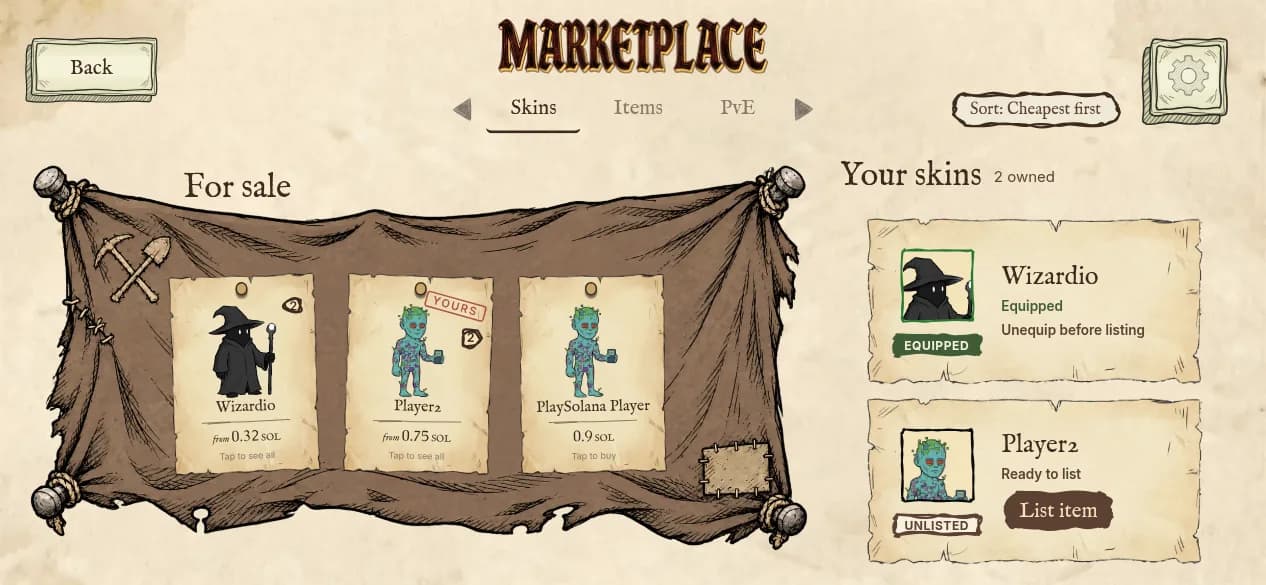
The marketplace is organized into three tabs: Skins, Items, and PvE Sessions. The Skins and Items tabs trade Metaplex Core NFTs peer-to-peer, on-chain. The PvE Sessions tab is not a peer-to-peer trade — it is a shortcut to buy campaign run packs directly from the game.
Listing an Item for Sale
Select an NFT from your inventory (a skin or relic item) and set a price in SOL. The NFT is not escrowed — it stays in your wallet until sold. Listing creates an on-chain listing account and delegates transfer authority for the asset to the marketplace program, which is what lets a buyer's purchase transaction move it without a separate approval from you.
Buying
Browse active marketplace listings, select an item, and confirm the purchase. SOL transfers from the buyer to the seller and the NFT transfers from the seller to the buyer in a single transaction.
| Recipient | Share |
|---|---|
| Seller | 95% |
| Company | 3% |
| Gauntlet prize pool | 2% |
Canceling a Listing
You can cancel any of your active listings at any time. The listing account is closed on-chain and no fees are charged.
PvE Sessions Tab
Purchase additional campaign run packs directly from the marketplace. See Account & Wallets for session pricing and the Economy page for the full revenue split.